Too many vague alerts
Network logs pile up — hard to tell what is serious and what is noise.
 Decoya
Network decoys · clear alerts
You deploy decoys: fake servers (SSH, databases, and more) that your staff never use. If something connects, it is not everyday IT work — it is reconnaissance or an attack. Zero false positives from normal business use.
The challenge
To move deeper into a network, an intruder — or automated tooling, including AI-assisted attacks — must first scan: find hosts, try passwords, map what is reachable. Decoya makes that visible with decoys only a malicious visitor would touch.
Network logs pile up — hard to tell what is serious and what is noise.
Branch offices, guest Wi‑Fi, lab VLANs: places where a scanner can pass unnoticed.
Without dedicated traps, the first clear proof of intrusion may come after data is already leaving.
The Decoya response
Decoya runs decoy services on your network: believable fake SSH, web or database endpoints your teams never use. When an IP scans or connects, the console shows who, what and when — including automated or AI-driven recon that still has to scan to go further.
Protection coverage
Each decoy looks like a real service attackers usually hunt for. You pick protocols in the console; every touch is logged in plain language.
Ready-to-use profiles: web server, workplace environment, databases, legacy equipment or complete coverage.
Dedicated appliance
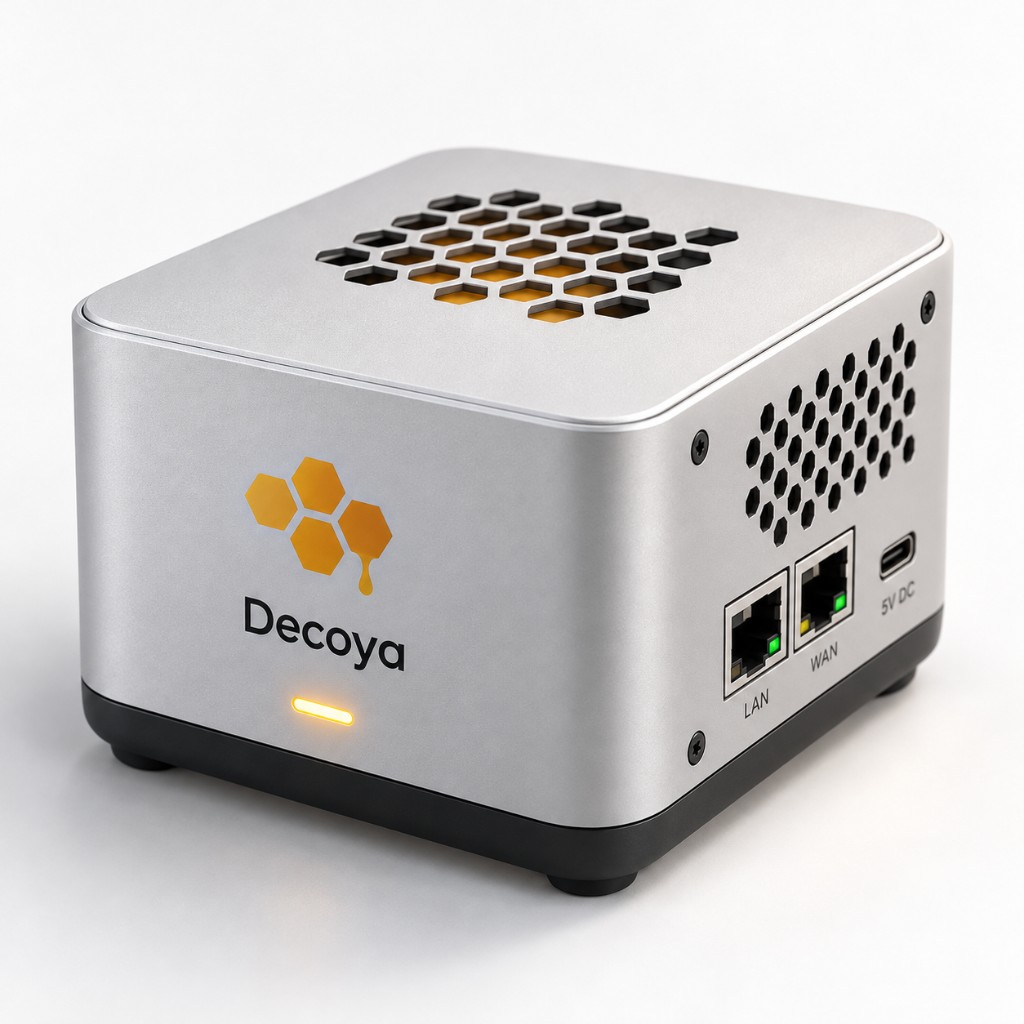
Sentinel S1 stays on the network it protects and sends events to your console. Compact and autonomous, it fits every location without adding operational complexity.
Getting started
Name your sensor in the console and assign it to the site or network zone you want to monitor.
Pick a profile (office, web server, databases…). The sensor exposes fake services your users ignore — scanners and intruders do not.
Every decoy touch becomes an alert. Add email, webhooks or canary credentials for the most sensitive cases.
Decoya Console
One interface for your entire estate: sensor status, deployments, aggregated event feeds, alert rules and audit history. An interactive demo lets you explore everything before deploying a sensor.
Deployment options
Add a sensor to an existing environment quickly, without changing daily operations or interrupting services.
Place Decoya close to the resources you protect for continuous, centralized visibility.
A ready-to-connect appliance for branches, remote sites and sensitive network zones.
Instant alerts · Monitoring tools · Audit trail · Centralized access · Multi-client management
Who is it for?
Decoys on the LAN: if someone scans or connects, you get simple proof for leadership or insurers.
Decoys reveal internal reconnaissance and lateral movement that central logs may filter out or bury.
Organize sensors by client site, review everything centrally and connect alerts to existing workflows.
What you gain
Staff never use decoys in daily work. If something hits a trap, it is a malicious human or bot (scanner, malware, AI-driven chain) trying to move forward.
Plant fake credentials: if they are used, the alert is even clearer. History by sensor, IP and protocol.
Send notifications, review the console and connect existing workflows to qualify, isolate or escalate quickly.
Pricing
€39 excl. tax / pack (3 sensors) · €59 excl. tax / Sentinel unit · stack both on one account.
Software
Sensors on your infrastructure (VM, Docker, or .deb) — no appliance.
39 €/ month · excl. tax
Hardware · Sentinel S1
Plug-and-play appliance — ready to connect.
59 €/ month · excl. tax · 12 mo min.
Enterprise
Custom protocols & SIEM integration.
On quote
FAQ
A fake service you install on purpose (for example a fake SSH server). Your employees do not use it. If a connection arrives, someone with bad intent or automated tooling is exploring the network — including modern AI-assisted attacks that still have to scan to take control. Decoya alerts you right away.
No. Decoya sets traps and reports; it does not block traffic. It complements firewalls and endpoint tools by showing who touches services that do not exist for your business.
No. Start on the network where the sensor is plugged in (LAN, DMZ). Only the sensor-to-console link needs to be allowed (HTTPS in production).
They are decoy credentials placed deliberately. If an attacker uses one, Decoya raises a priority alert — strong evidence that protected secrets have been accessed.
Events are centralized in the console and retained according to your plan. Several hosting options can meet your security and data-location requirements.
After connecting a sensor and choosing a protection profile, most teams observe scans or suspicious attempts within an hour on an active network.
Next step
The interactive demo reproduces sensors, events and alerts without installation. When you are ready, simply connect your first site.